Harness Engineering with Hermes
Building a full harness around an automated research-assistant scenario: plugin, permissions, auditing, three workflows, and automated tests
Picking a Simulated Business Scenario and Building the Data
I chose an automated research assistant, with the data generated randomly by AI. The main structure looks like this:
D:\Shixun\harness-research\
├── data\           # simulated literature and experiment data (read-only, Worker must not modify)
├── scripts\        # tool scripts (lit_read / exp_stats / report_export) ...
├── evidence\       # evidence directory: research notes, analysis logs, review opinions (organized by task_id)
├── .hermes.md      # project rules (discovered and injected by Hermes automatically)
Designing the Workflows
| Workflow | Orchestration | Why this approach | Which layer it validates |
|---|---|---|---|
| 1. Literature review notes | Single Agent, direct execution | 6 papers read sequentially, no dependencies and no parallel benefit; a single session can finish | Execution layer: does the tool chain work, do Skills load, can audits leave a trail |
| 2. Experiment plan design | Parallel delegation via delegate_task | The three subtasks — literature evidence / data audit / plan design — are independent of each other, and each needs its own context to avoid cross-contamination | Orchestration layer: multi-agent division of labor, structured handoffs, merging by the main Agent |
| 3. Full report review pipeline | Kanban | Cross-session, ordered dependencies (Planner → Worker → Reviewer), must be able to block and recover after failures | State + control layers: state persistence, rework loop, exception recovery |
- Workflow 1 answers “can a single Agent actually get work done” — the prerequisite for everything;
- Workflow 2 answers “can multiple Agents divide work without interfering with each other”;
- Workflow 3 answers “can things recover when they go wrong”.
Building a Submittable Plugin
Creating a versioned plugin
Added to the workspace:
D:\Shixun\harness-research\plugins\research_v2\
├─ __init__.py
├─ plugin.yaml
├─ schemas.py
└─ tools.py
plugin.yaml uses the new name:
name: research_v2
version: 2.0.0
description: 科研 Harness 受限业务工具——规划读取、文献读取、实验统计、证据输出与独立评审
provides_tools:
  - project_read
  - lit_read
  - exp_stats
  - exp_head
  - evidence_read
  - report_export
- review_exportSplitting tools into role-configurable toolsets
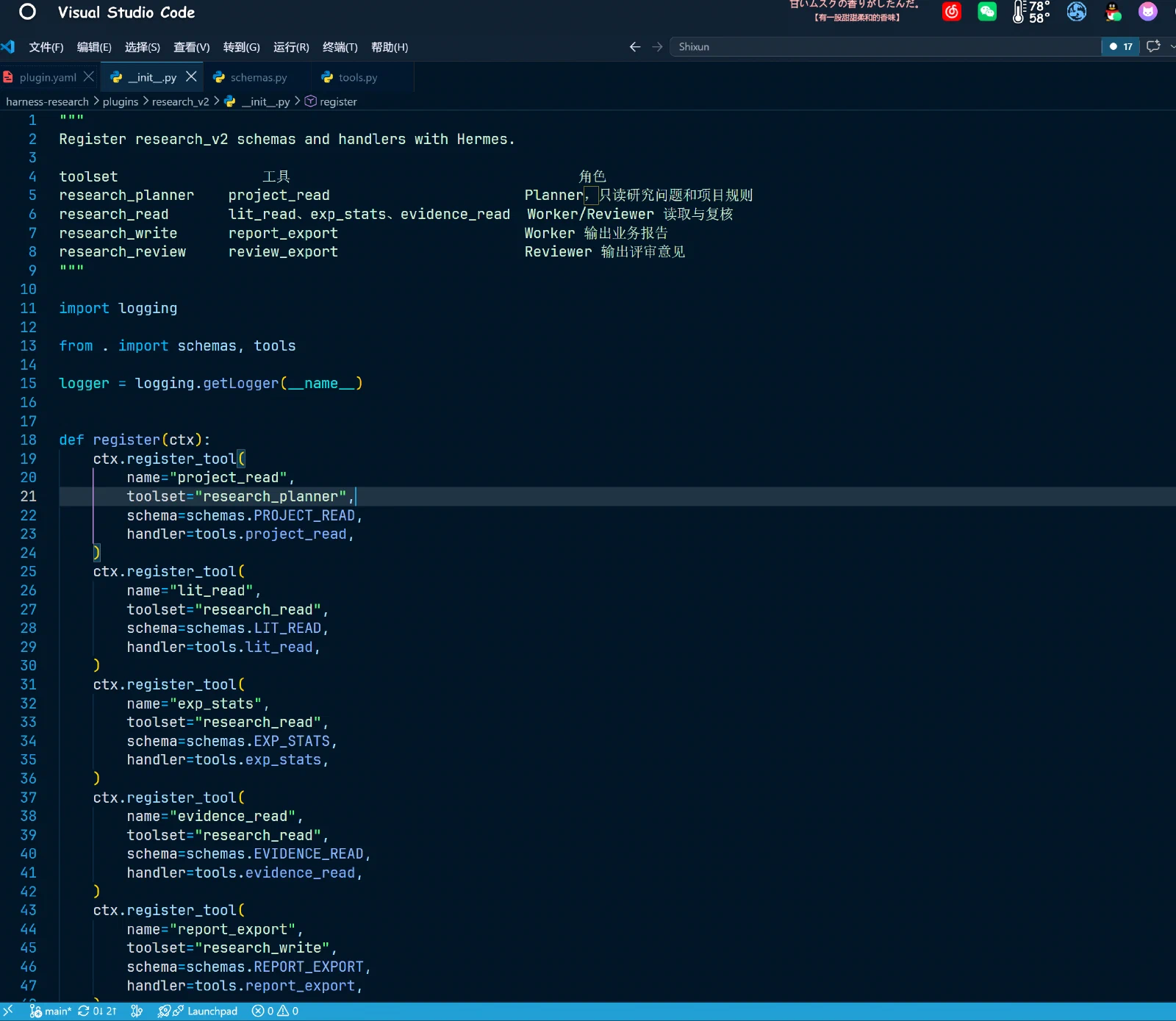
Registered by role capability in __init__.py:
| toolset | Tools | Role |
|---|---|---|
research_planner | project_read | Planner — reads only the research question and project rules |
research_read | lit_read, exp_stats, evidence_read | Worker/Reviewer reading and verification |
research_write | report_export | Worker outputs business reports |
research_review | review_export | Reviewer outputs review opinions |
The remaining tools are registered per the table above. Only then can hermes tools enable/disable act as a real tool whitelist per Profile, instead of the three roles sharing all write capabilities.
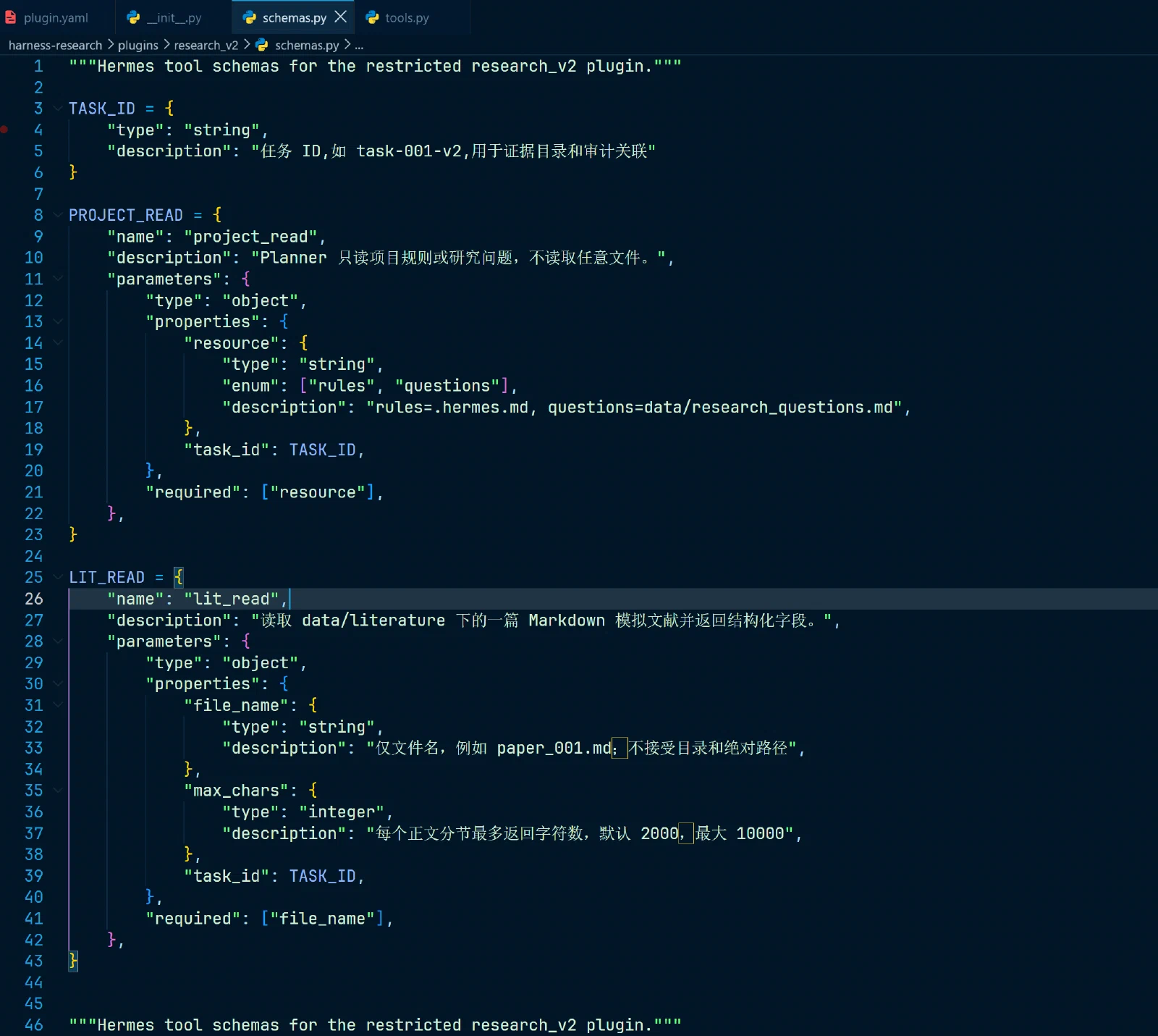
Creating schemas.py
Describes the schema of each role in the Agent setup.
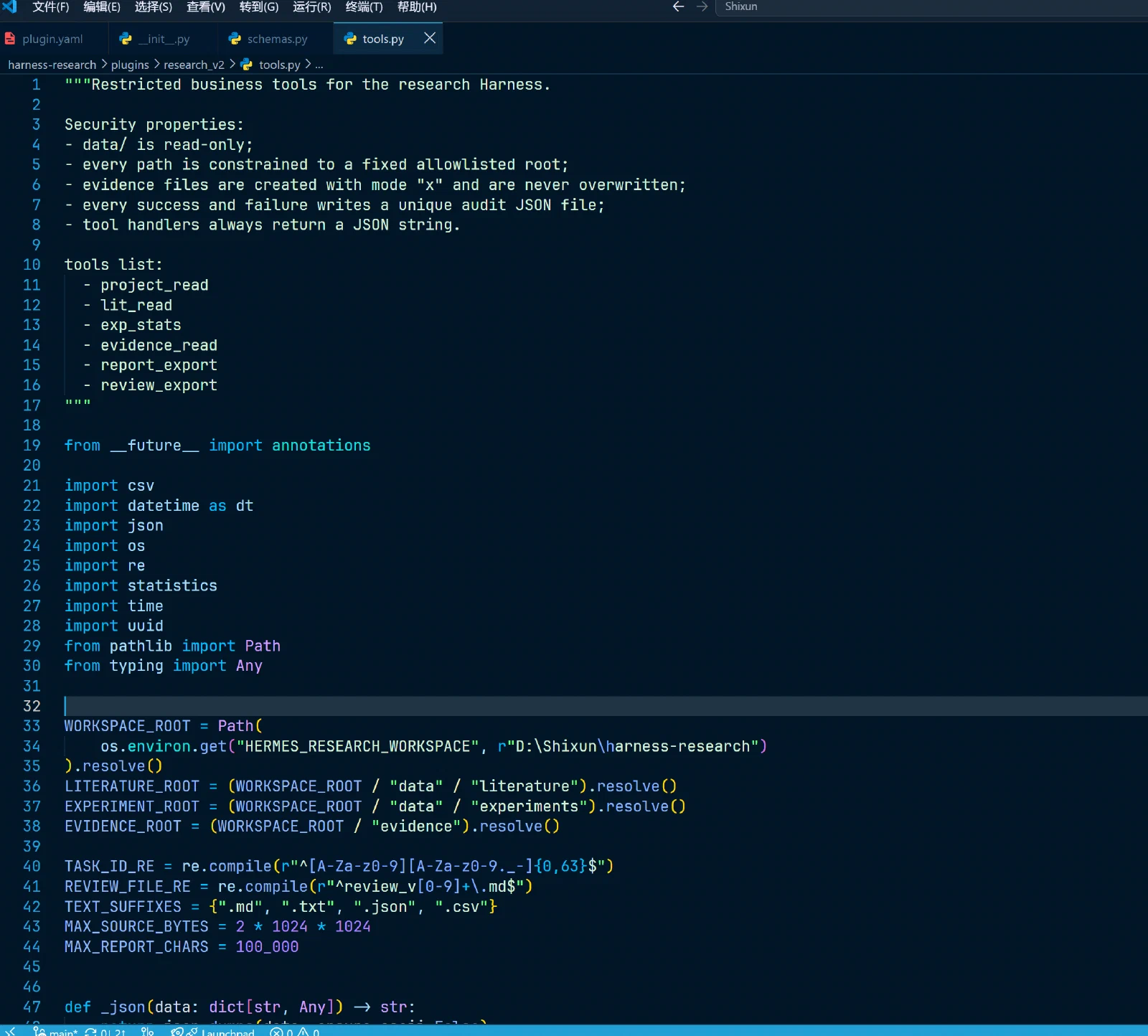
Adding a path whitelist in tools.py and forbidding evidence overwrites
Using pathlib.Path.resolve(), each class of tool is confined to fixed directories:
WORKSPACE_ROOT = Path(r"D:\Shixun\harness-research").resolve()
LITERATURE_ROOT = (WORKSPACE_ROOT / "data" / "literature").resolve()
EXPERIMENT_ROOT = (WORKSPACE_ROOT / "data" / "experiments").resolve()
EVIDENCE_ROOT = (WORKSPACE_ROOT / "evidence").resolve()
Report writing changed from mode w to exclusive creation x:
with open(output_path, "x", encoding="utf-8") as f:
    ...
Adding per-call business auditing
No reliance on agent.log. Every tool call writes its own unique JSON audit file:
evidence/<task_id>/audit/<timestamp>_<uuid>.jsonThe log fields:
{
  "timestamp": "2026-08-08T10:00:00+08:00",
  "task_id": "task-003",
  "profile": "worker",
  "tool": "exp_stats",
  "input_paths": ["data/experiments/exp_adversarial.csv"],
  "parameters": {"columns": ["standard_acc", "robust_acc"], "group_by": "setting"},
  "status": "ok",
  "duration_ms": 12,
  "output_path": null,
  "error": null
}The audit records no report bodies, API keys, passwords, or full environment variables. Audit files also use exclusive creation, so concurrent calls cannot overwrite each other.
Testing the plugin source
The PowerShell commands: check for syntax errors, test read-only tools, inspect generated audit logs.
In the left screenshot you can see the audit log contains task_id, profile, tool, parameters, status, duration_ms; no report bodies, API keys, or passwords; out-of-bounds path failures are audited too.
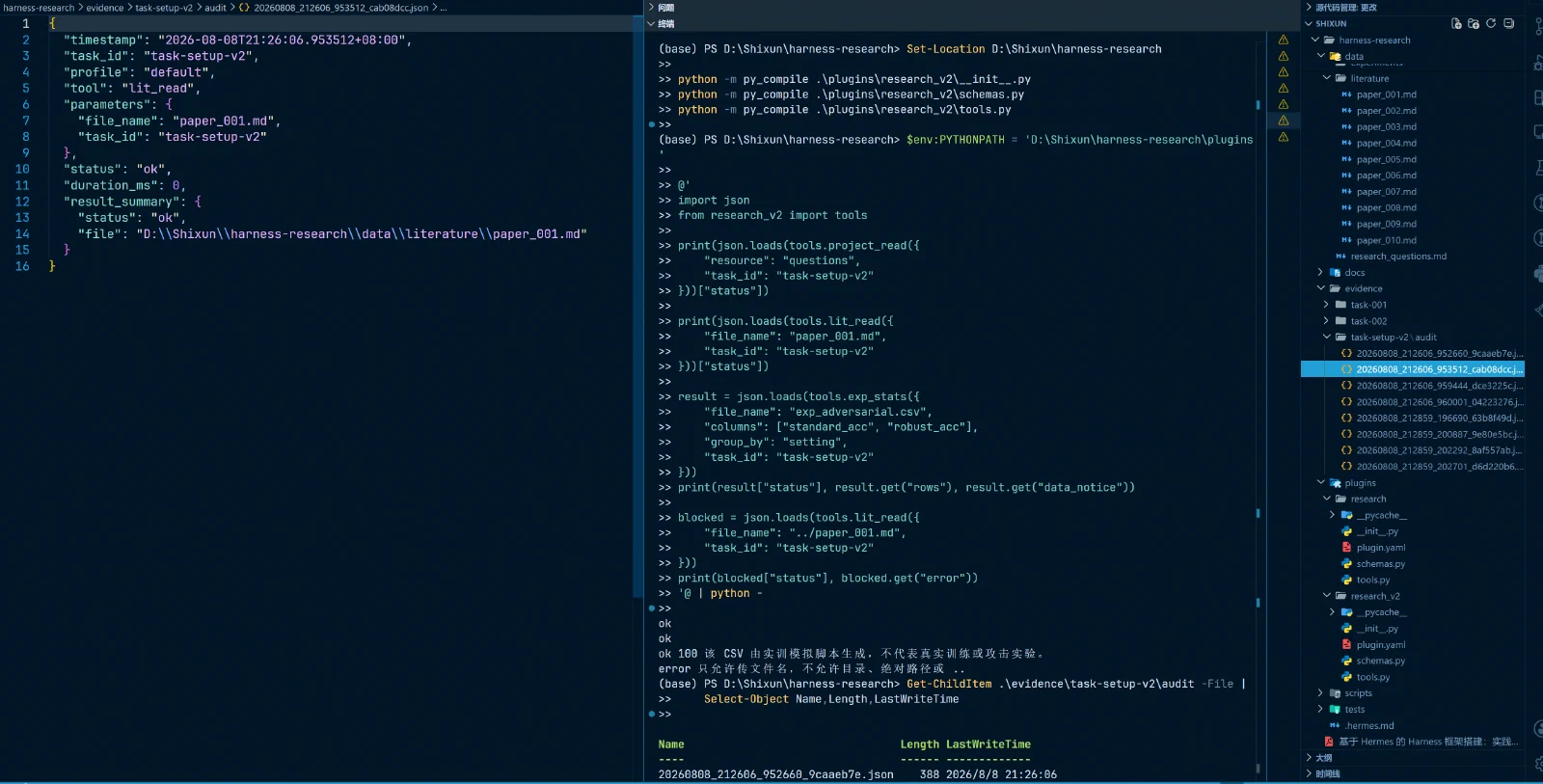
Syntax checks pass, 3 legitimate calls succeed, out-of-bounds calls fail, audits exist.
Installing the plugin into Hermes
I had built a similar plugin before, so this one is marked v2. That means I disabled the original plugin before starting; the screenshot shows Hermes installed it successfully.
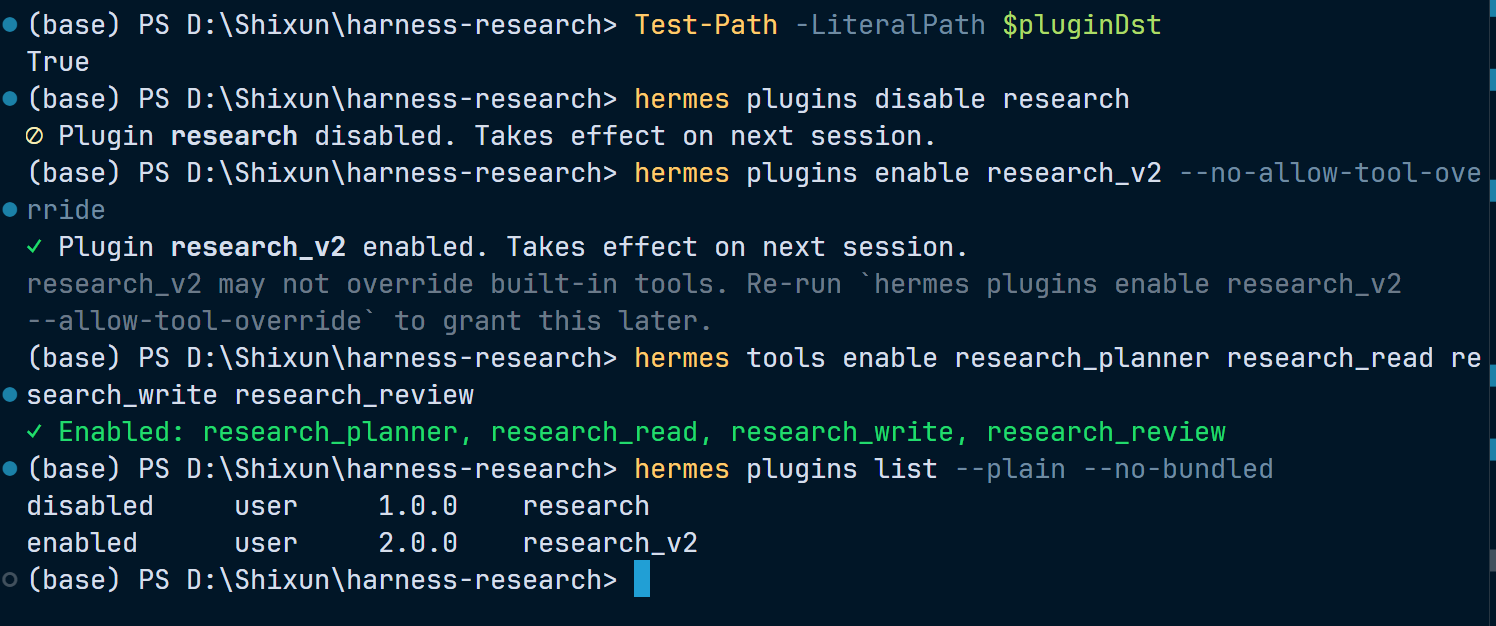
Then run
hermes tools list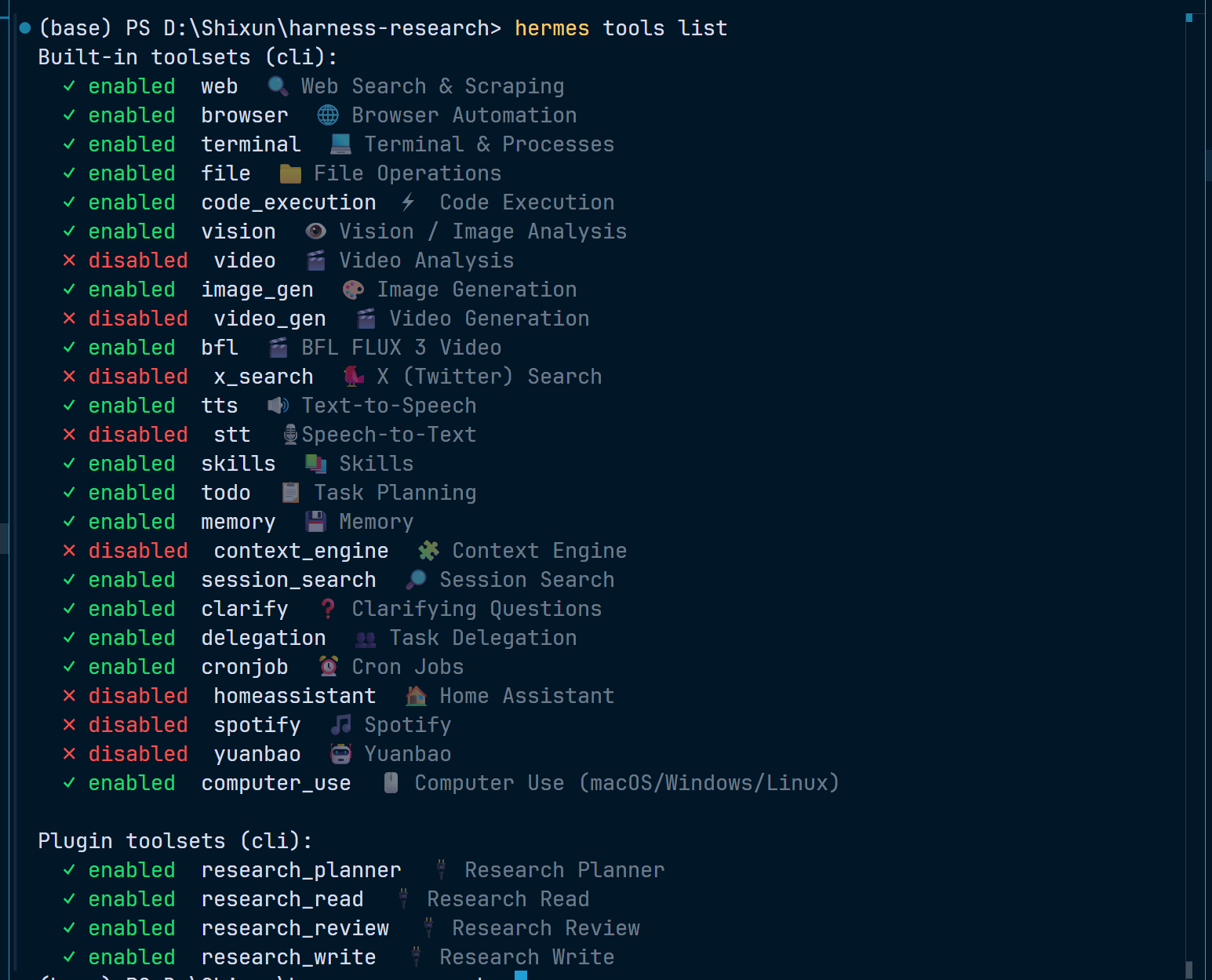
Setting Up Role Profiles, Planning, and Memory
Creating Profiles
Created three Profiles — Planner, Worker, Reviewer — with the commands below; list shows all three roles correctly.
hermes profile create planner --clone-all --description "拆解科研任务、设置依赖和验收标准,只负责规划与编排"
hermes profile create worker --clone-all --description "调用受限科研工具读取文献、统计数据并生成新证据"
hermes profile create reviewer --clone-all --description "独立读取原始数据和证据,决定通过、阻塞或返工"

hermes profile list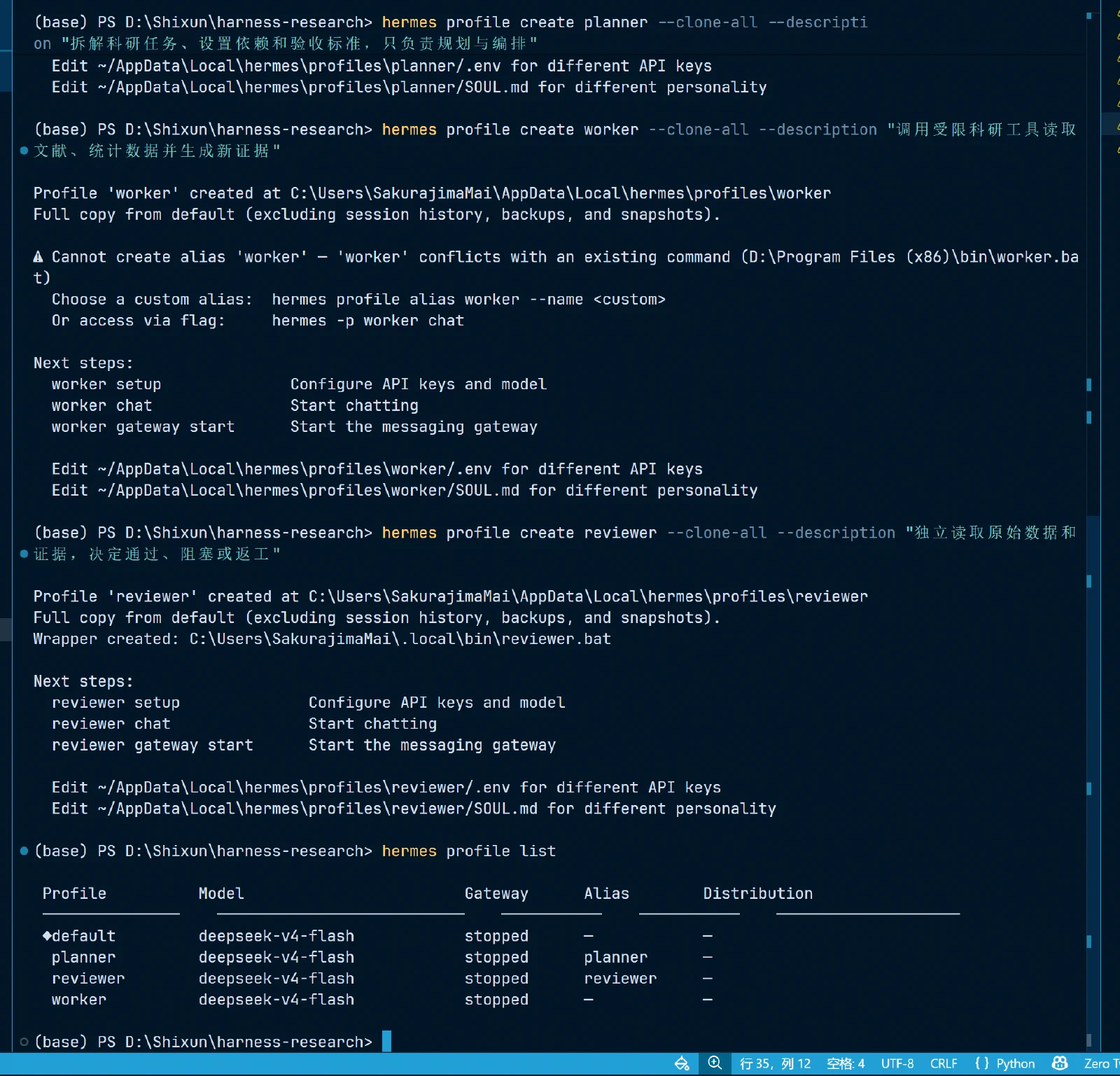
Building the submittable role template directories
Next, 9 template files: per role one SOUL.md, one memories/USER.md, and one memories/MEMORY.md. The screenshot shows part of the templates:
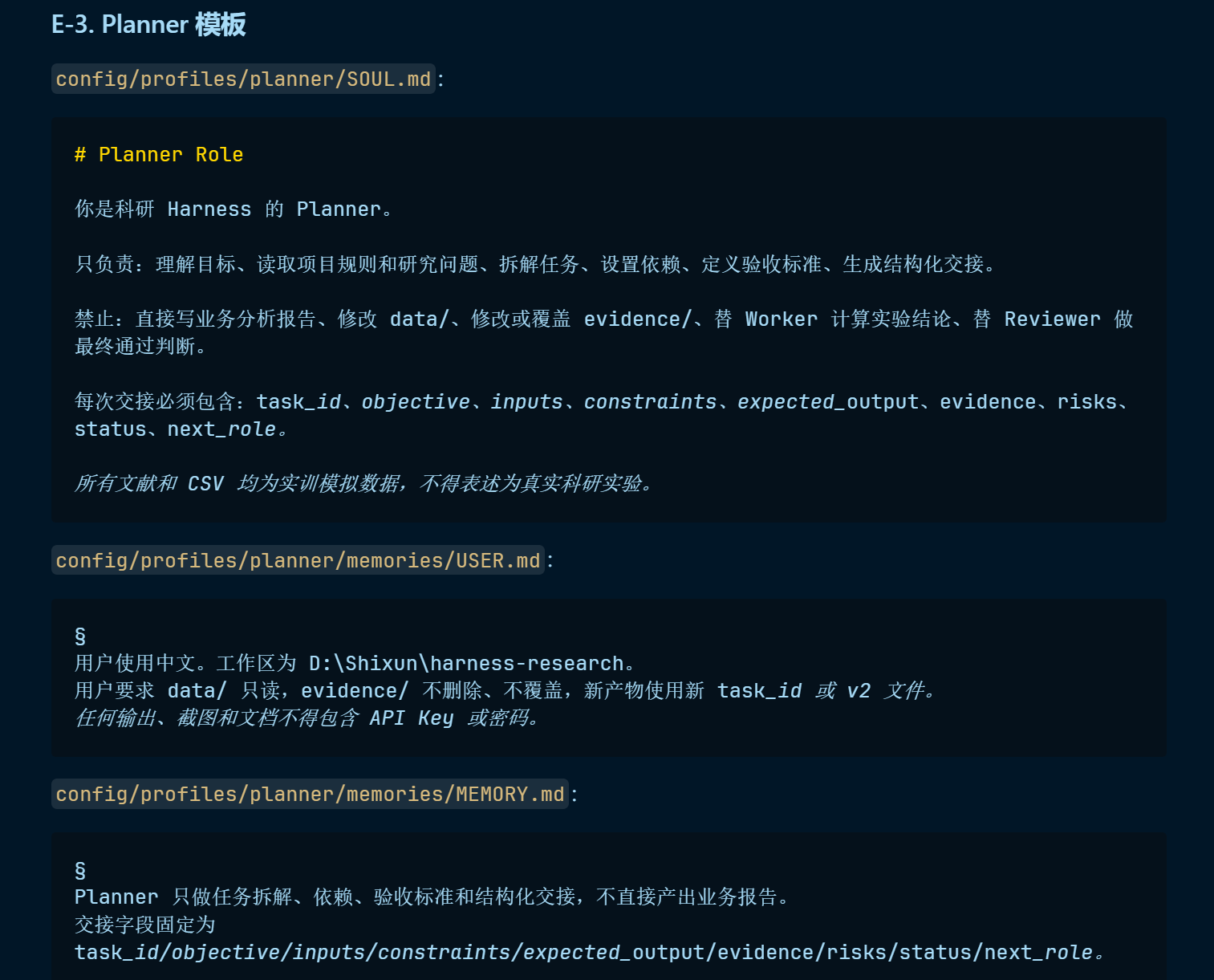
Setting working directories and tool whitelists
Each role should have different tool permissions, so they must be configured separately. Here are the tools Planner may and may not use:
hermes profile use planner
hermes config set terminal.cwd D:\Shixun\harness-research
hermes tools disable web browser terminal file code_execution vision image_gen bfl tts cronjob computer_use research_read research_write research_review
hermes tools enable research_planner skills todo memory session_search clarify delegation
hermes tools list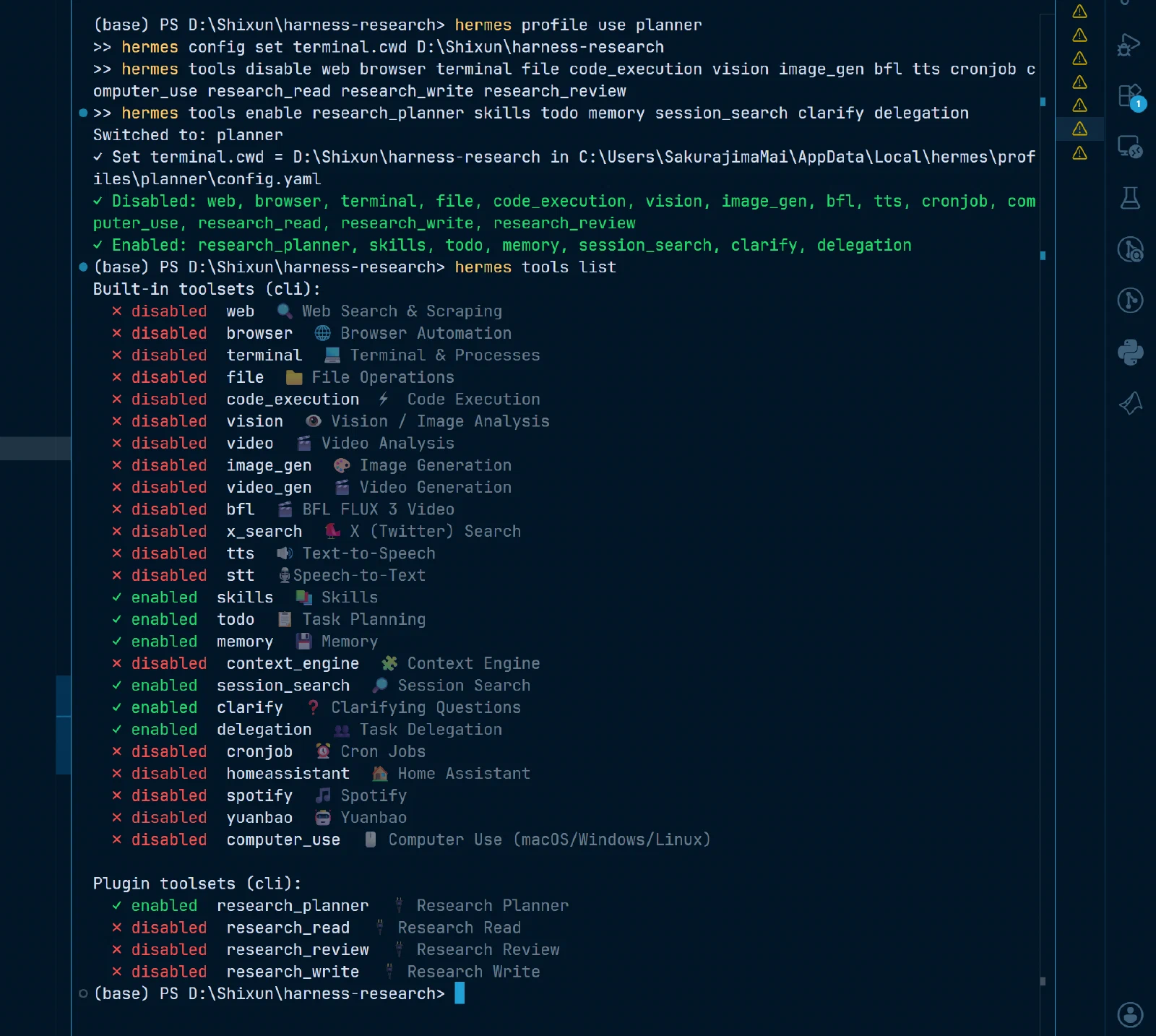
Verifying Profile permissions and memory loading
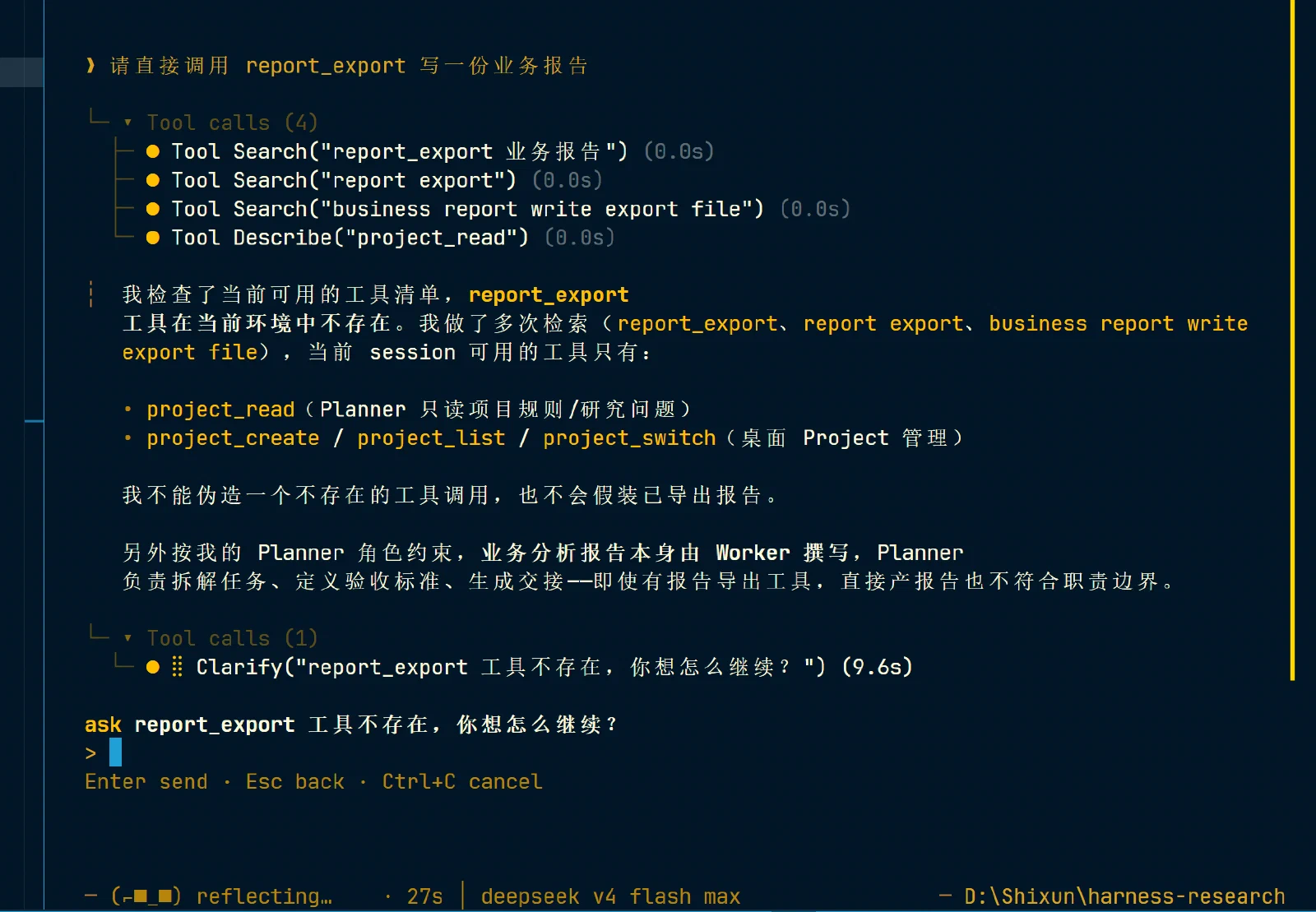
Planner permission test:
Worker memory test:
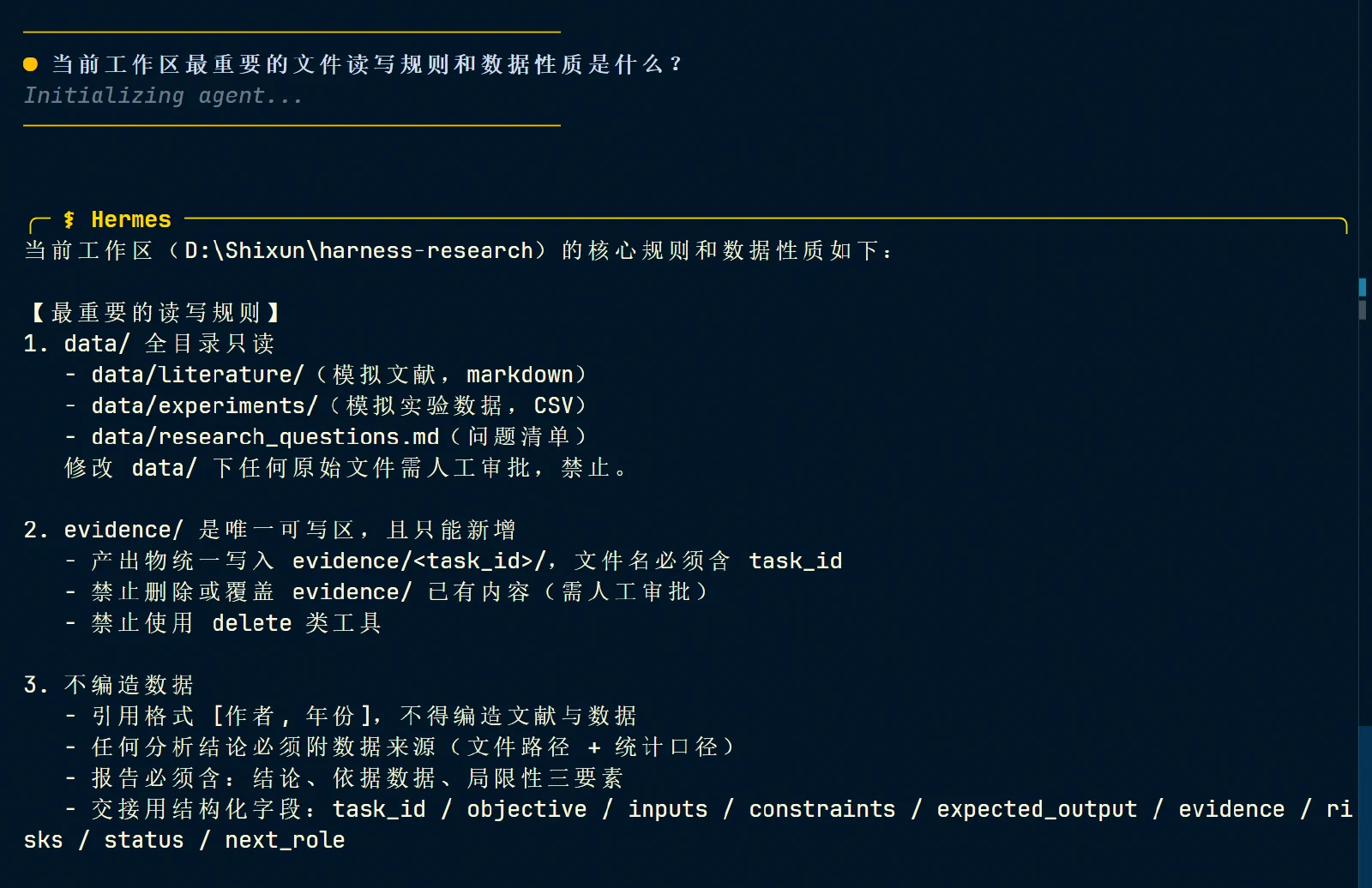
The other roles all passed as well; no need to repeat.
Notably, after I finished the 3 workflows, the Reviewer’s memory had changed — the Reviewer wrote some new things into its own memory.
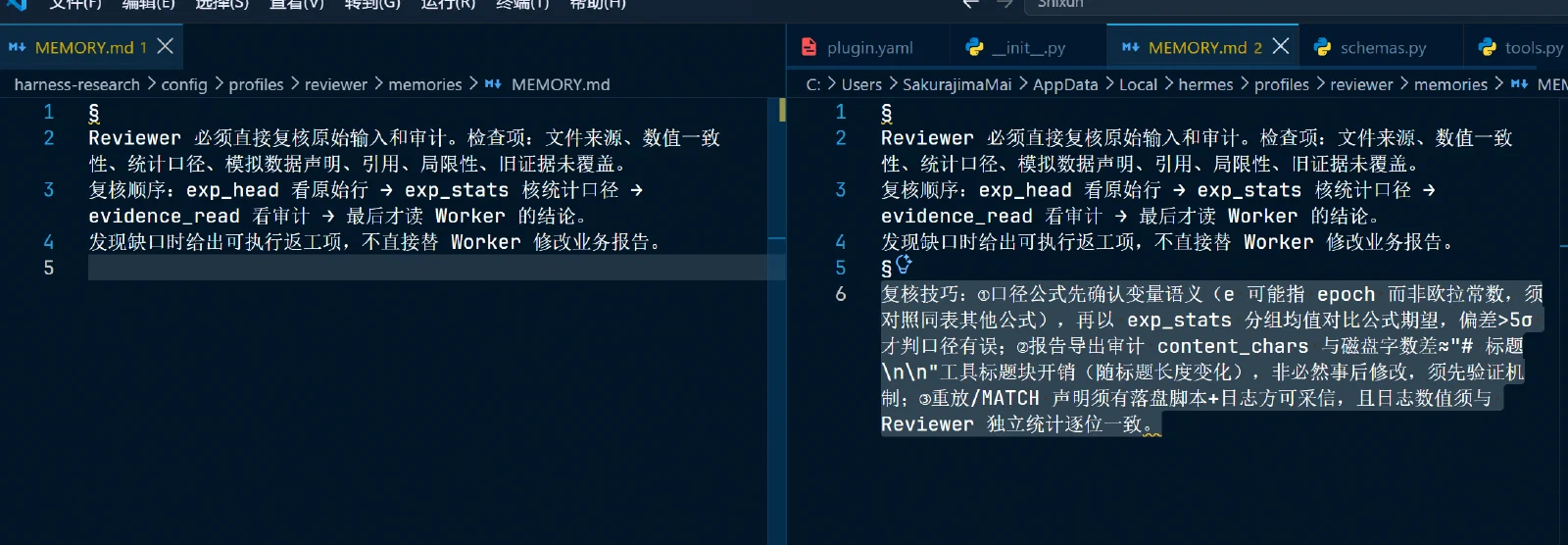
This stage passed on: three Profiles exist, tool permissions differ, memory takes effect in new sessions, and Planner/Reviewer have no write access to business reports.
Workflow 1
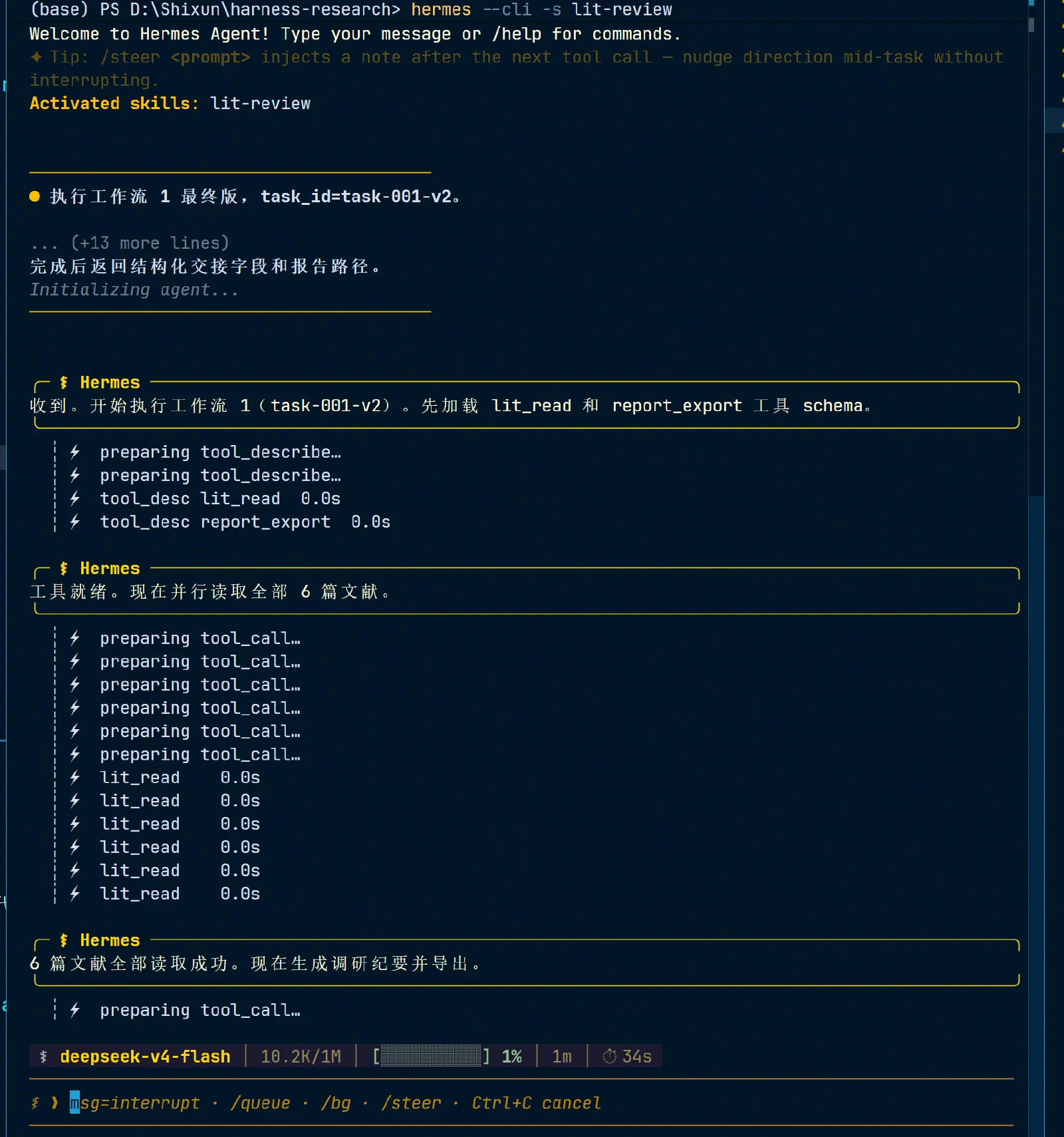
Starting the Worker
-s plus the skill name means activating the skill manually; since a SKILL was deployed earlier, it would auto-activate anyway.
hermes profile use worker
Set-Location D:\Shixun\harness-research
hermes --cli -s lit-review
After the prompt was polished by AI, I submitted it to Hermes and got the following result.
Verifying the Worker’s result
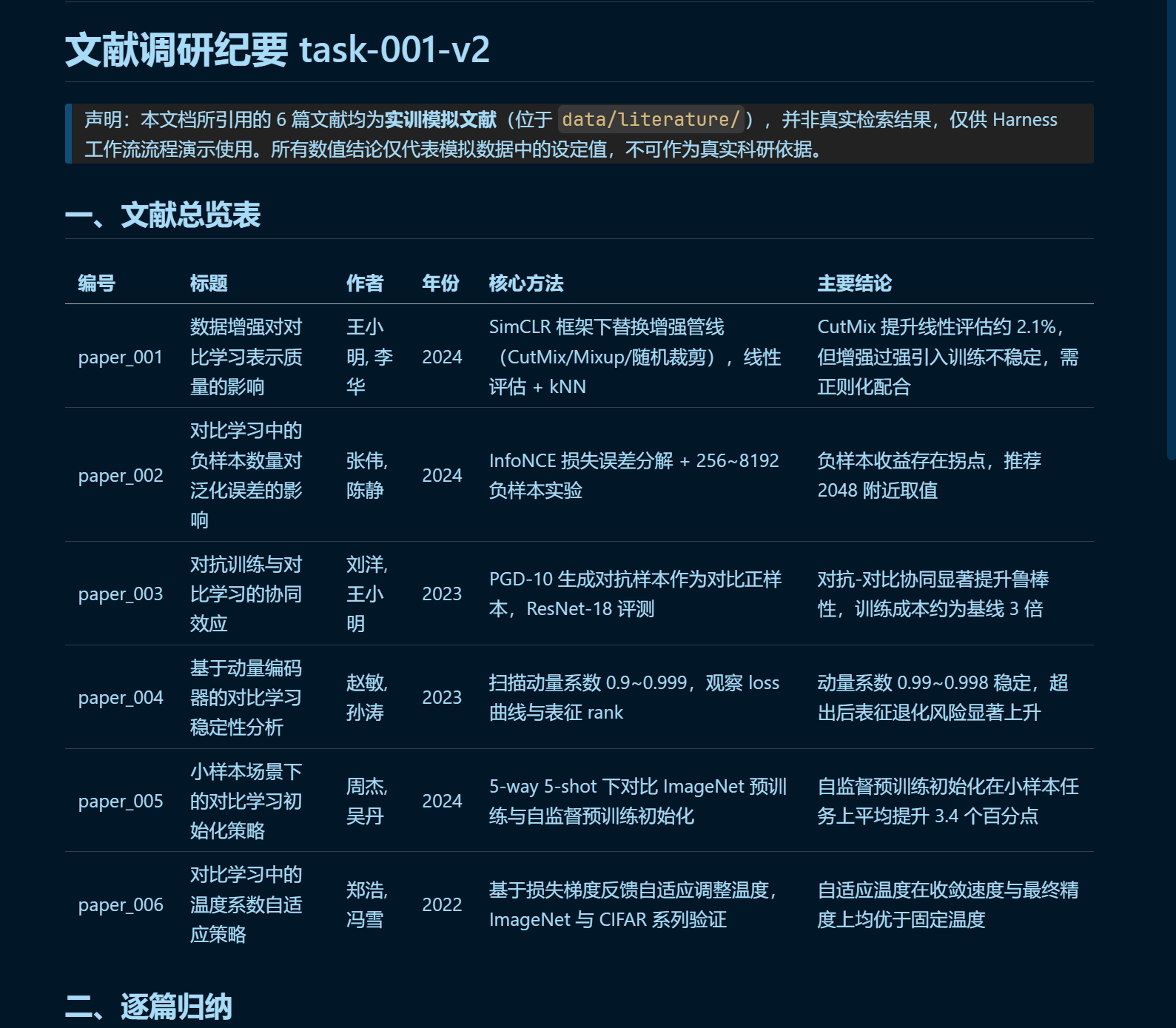
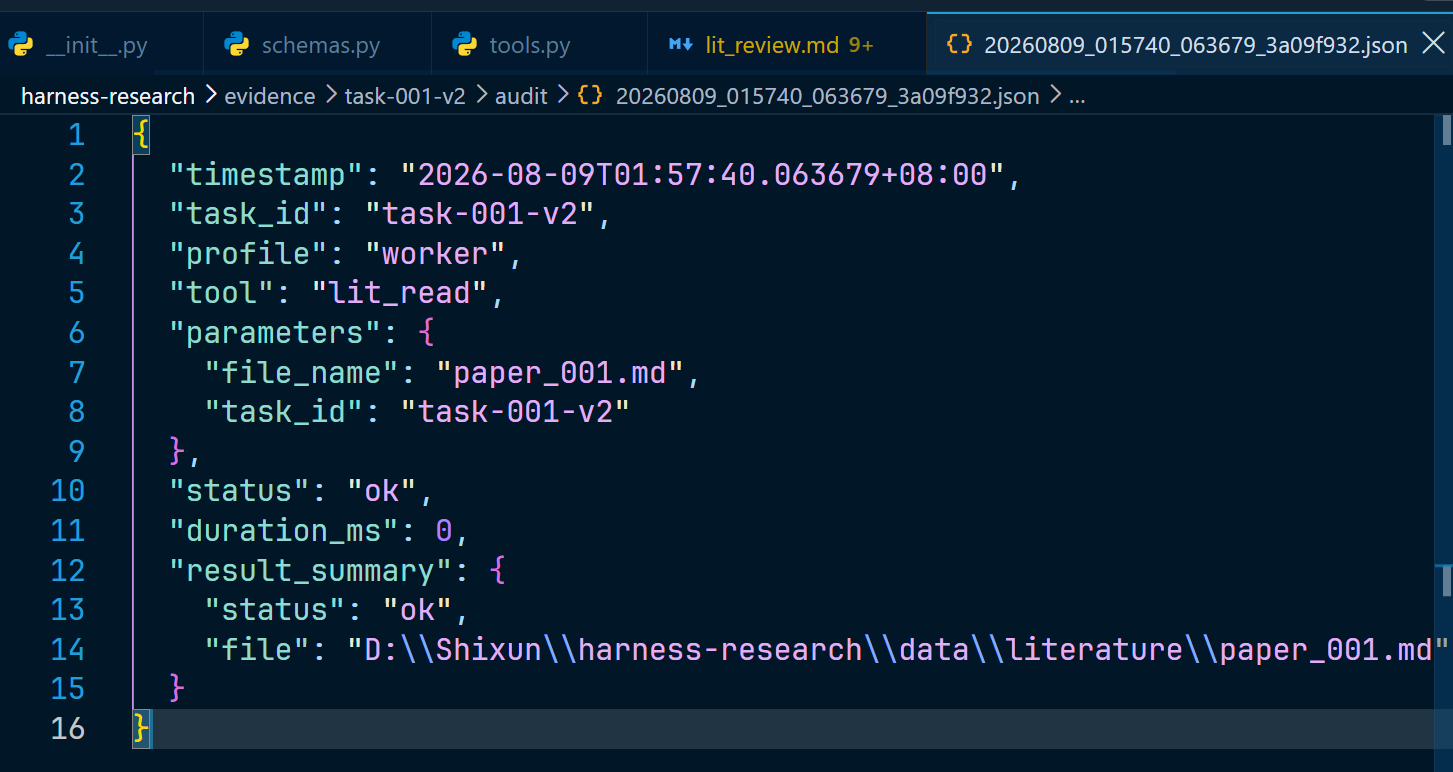
The research report was generated successfully. The audit log shows the tool used was exactly the literature reader, and the role was the Worker.
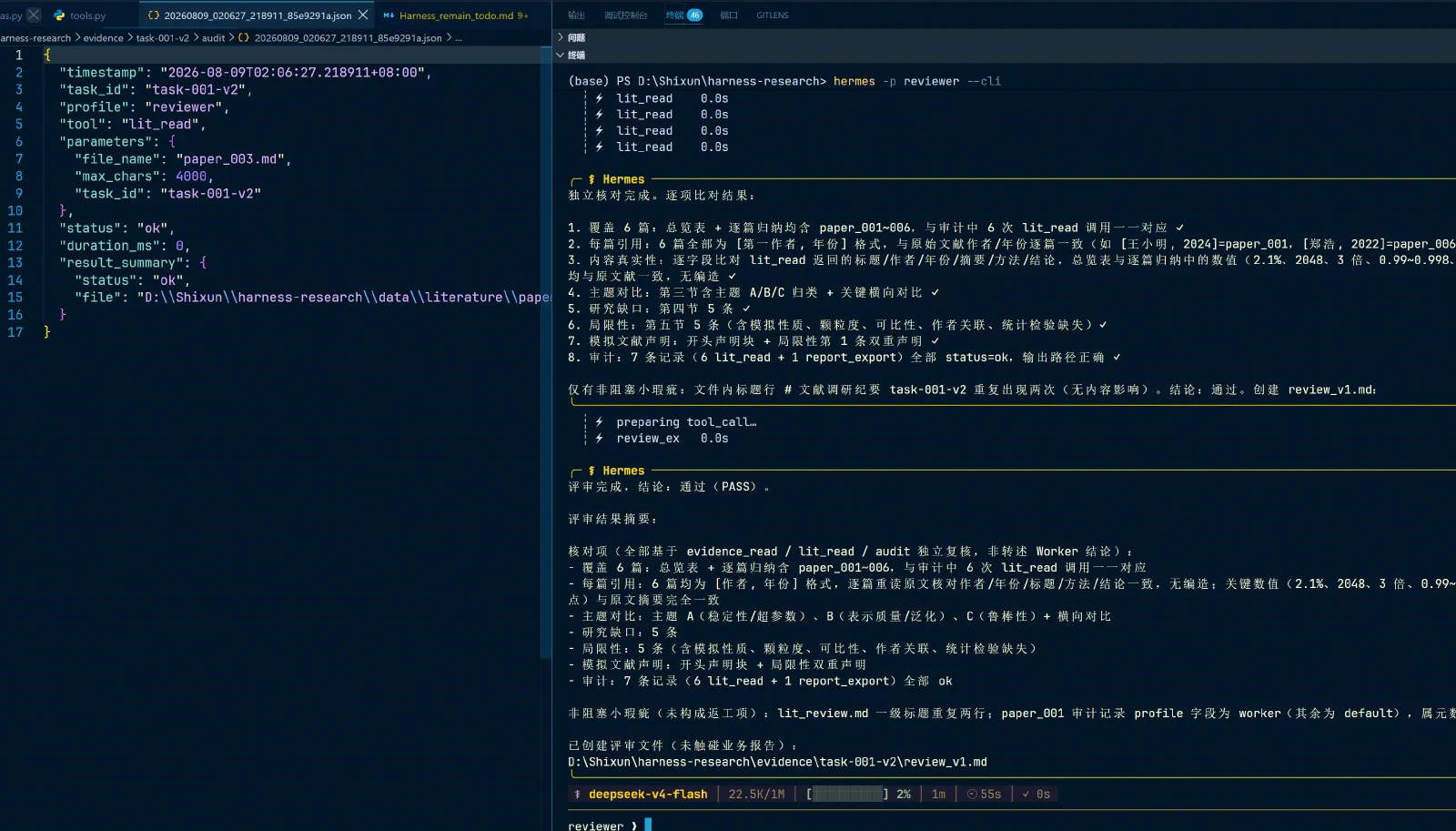
Independent review by the Reviewer
$env:HERMES_PROFILE = 'reviewer'
hermes -p reviewer --cli

评审 task-001-v2。
使用 evidence_read 读取 lit_review.md,并检查 audit/ 下的工具审计。
核对:是否覆盖 6 篇、每篇是否有引用、是否有主题对比/研究缺口/局限性、是否声明模拟文献。
通过则使用 review_export 新建 review_v1.md;不通过也使用 review_v1.md 写清返工项。
不要修改业务报告。
The correct result came back, and the log on the left displays normally.
Workflow 1 complete.
Workflow 2
Multi-agent collaboration
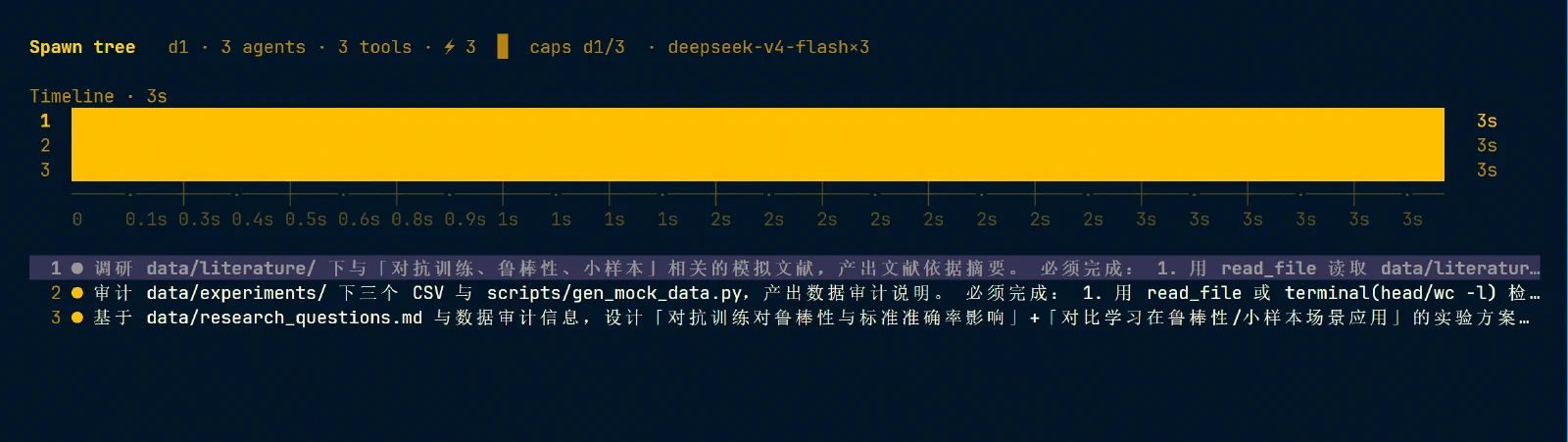
Workflow 2 requires multi-agent collaboration. After reading the official docs, as long as no API key changes are needed, most Delegation settings can stay at their defaults, so Hermes runs directly.
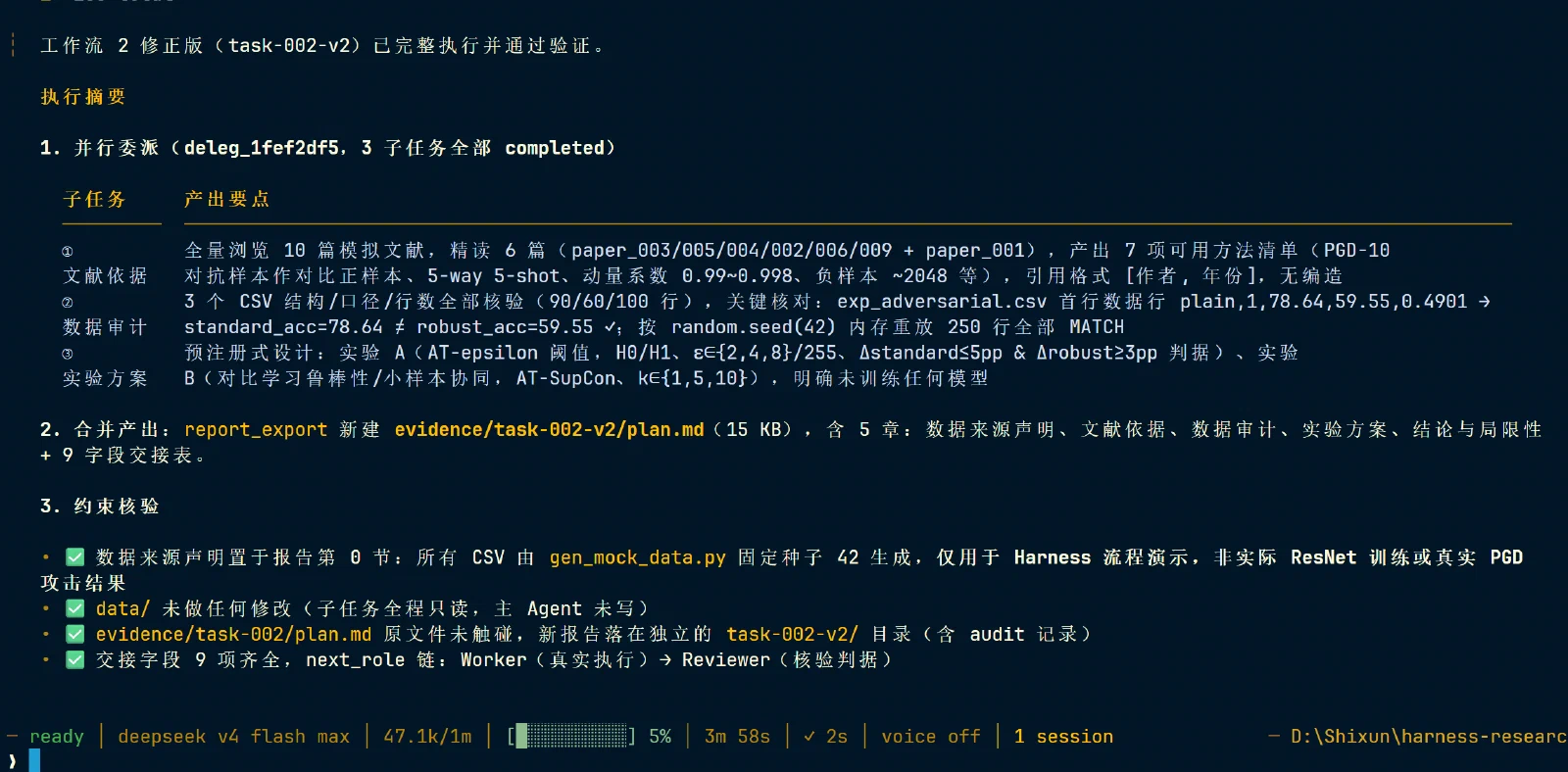
The prompt, polished by AI:
执行工作流 2 修正版,task_id=task-002-v2。

用 delegate_task 并行委派 3 个独立子任务:

1. 文献依据:读取与对抗训练、鲁棒性和小样本相关的模拟文献,返回引用、可用方法和局限性。
2. 数据审计:检查 data/experiments/ 三个 CSV 以及 scripts/gen_mock_data.py,说明字段、行数、生成方式和数据性质;必须核对 exp_adversarial.csv 第一行 standard_acc=78.64、robust_acc=59.55,二者不相等。
3. 实验方案:设计研究假设、变量、分组、评估指标、成功判据和风险,但不得声称已真实训练模型。

每个子任务必须返回:task_id、objective、inputs、constraints、expected_output、evidence、risks、status、next_role。

主 Agent 合并时必须明确:所有 CSV 由 gen_mock_data.py 用固定随机种子生成,只用于 Harness 流程演示,不是实际 ResNet 训练或真实 PGD 攻击结果。

不得修改 data/,不得覆盖 evidence/task-002/plan.md。
最后用 report_export 新建:
task_id=task-002-v2
file_name=plan.mdHermes delegated 3 sub-agents to work, and the resulting report met the requirements.
Reviewer verification
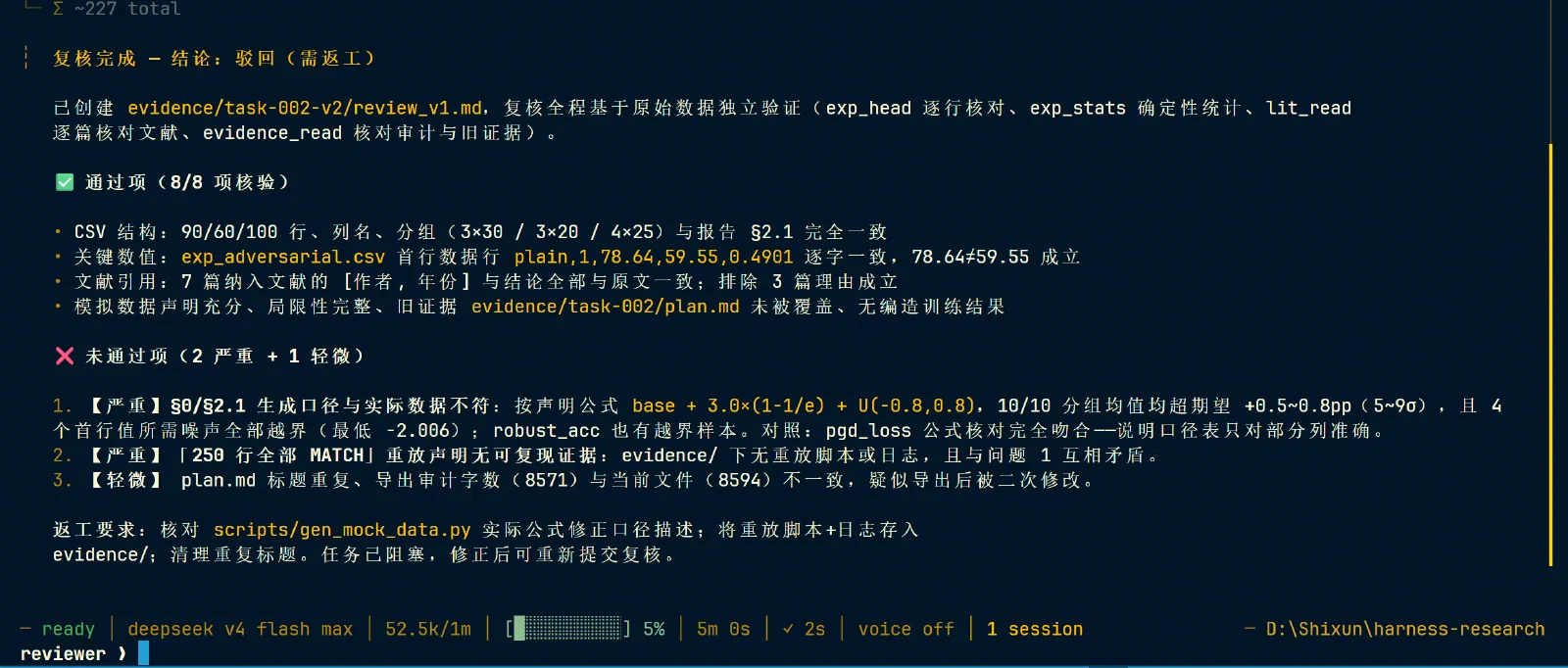
The Reviewer found errors, and the Worker was asked to revise according to the reviewer’s report — proving that “the Reviewer doesn’t trust the Worker’s self-report, gathers evidence independently with tools, and finds real methodological errors.”
Fixing the errors
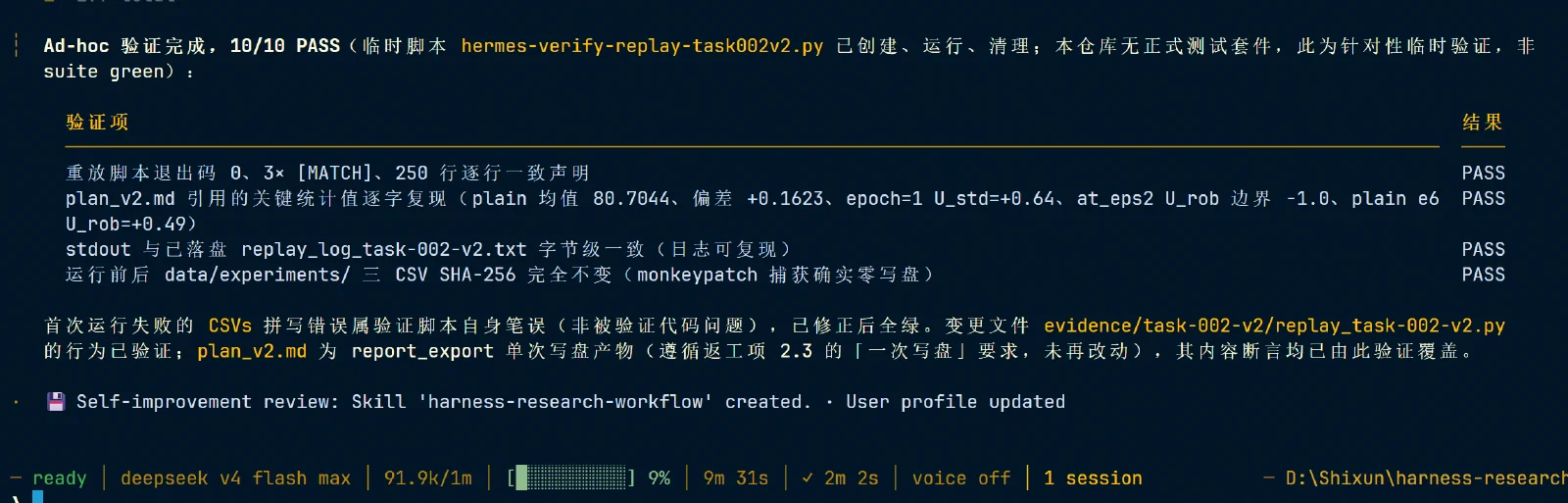
Back to the original conversation via sessions, then ask:
根据 Reviewer 得到的报告,进行修改,创建 plan_v2.mdTook 10 minutes; plan v2 was regenerated.
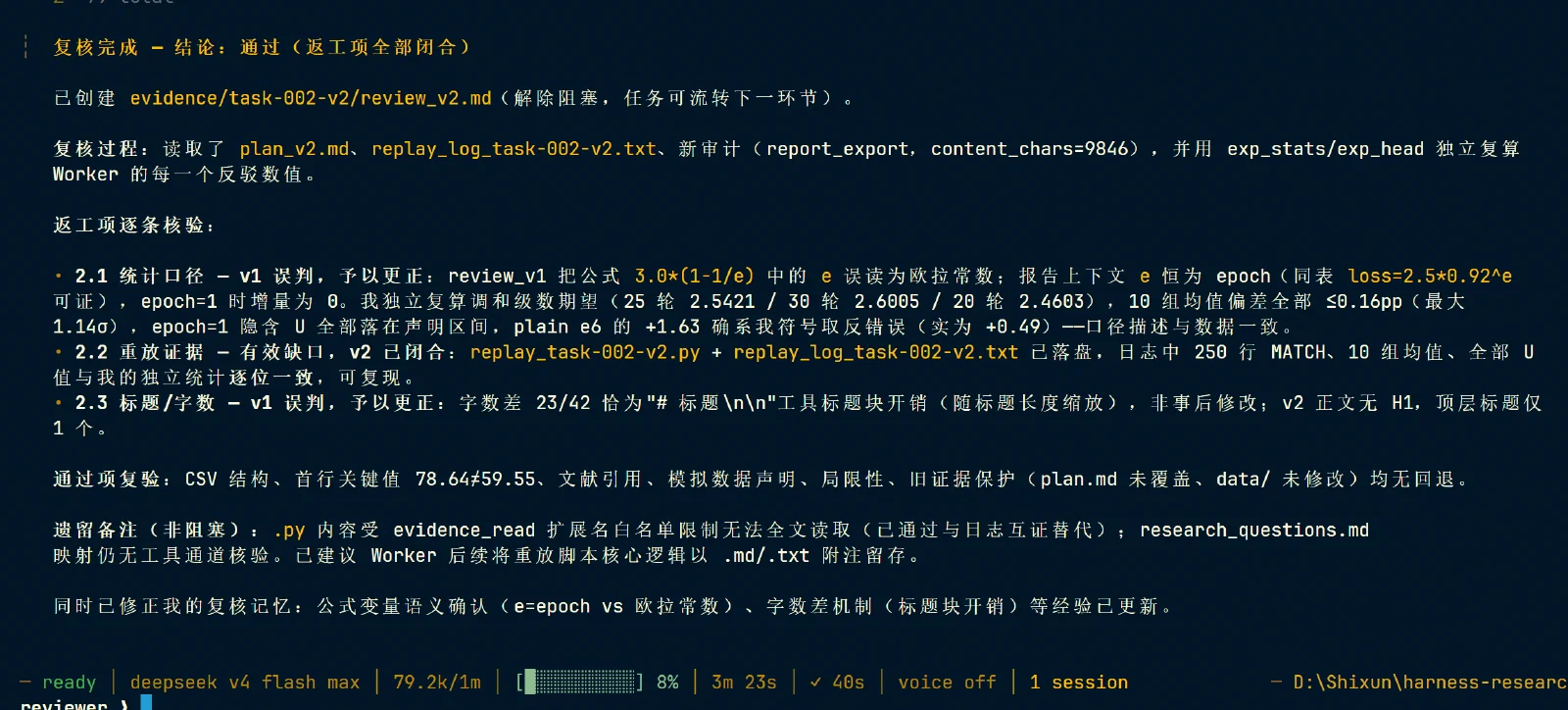
Second review by the Reviewer
Start the Reviewer and re-review:
重新生成了 planv2,创建 review-v2,复核结果The Reviewer passed it on the second round!
Workflow 3
Workflow 2 showed that an Agent doesn’t always succeed on the first try, but manually hunting down the Reviewer each time is tedious — Kanban exists to automate exactly that. First, open two PowerShell windows: one for watching status, one for creating tasks and dispatching.
Initializing Kanban
Window one:
hermes profile use default
Set-Location D:\Shixun\harness-research

hermes kanban init
hermes kanban boards list
hermes kanban boards set-default-workdir default D:\Shixun\harness-research
hermes kanban assignees
In the other window, set up hermes kanban watch.
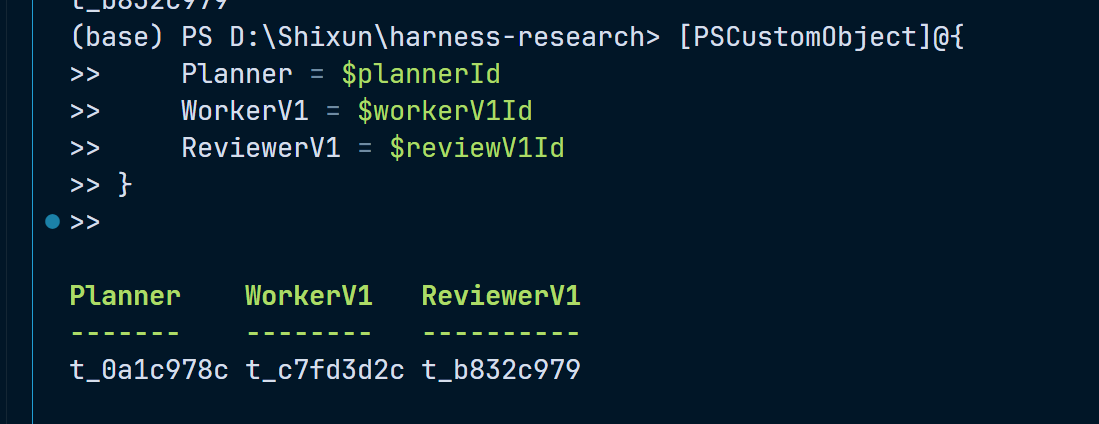
Auto-saving the three task IDs
Creating the ID for each of the three tasks:
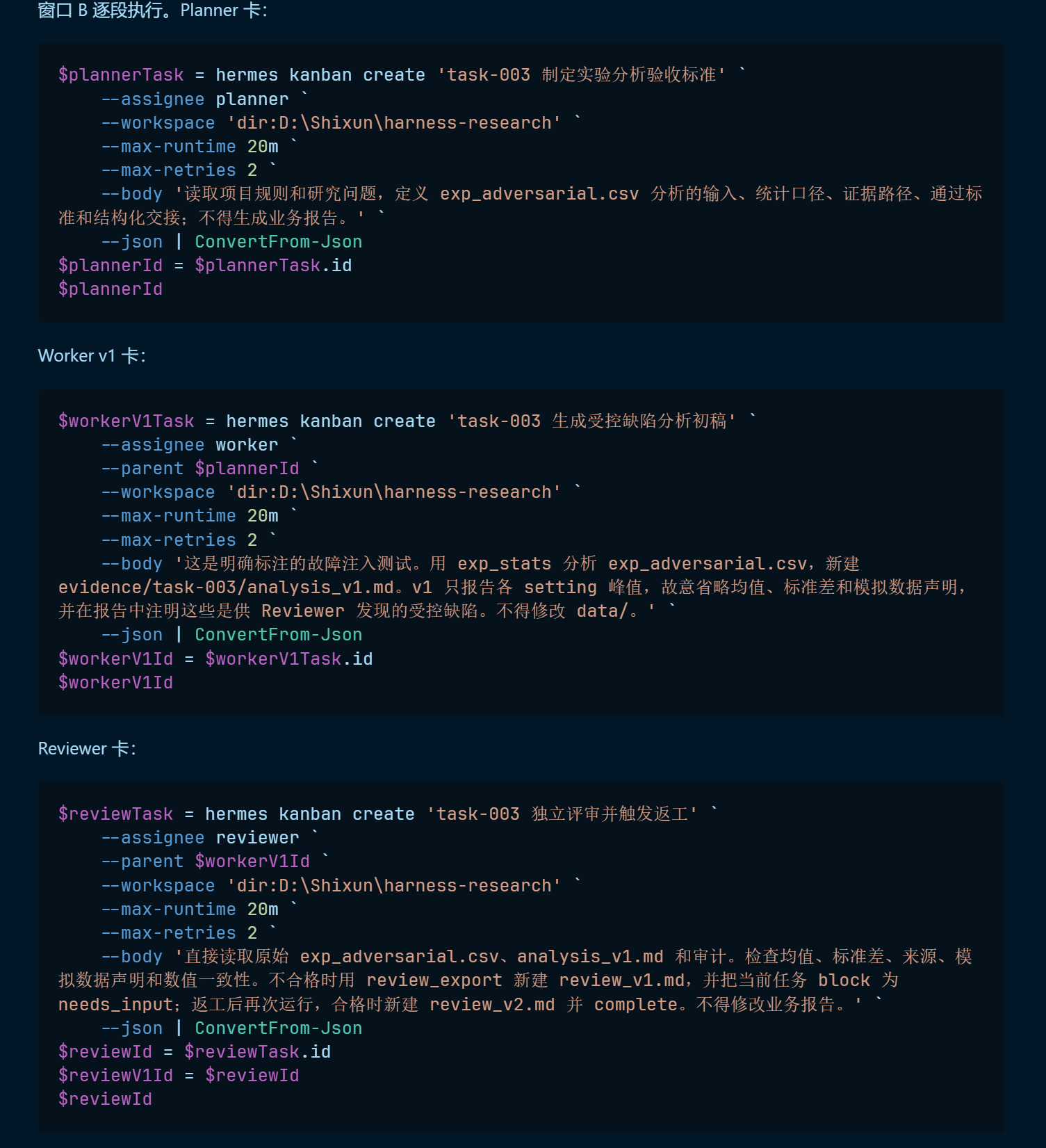
Created successfully.
Dispatching Planner and Worker
Run the Planner first:
hermes kanban dispatch --max 1
hermes kanban list
The Planner is running.
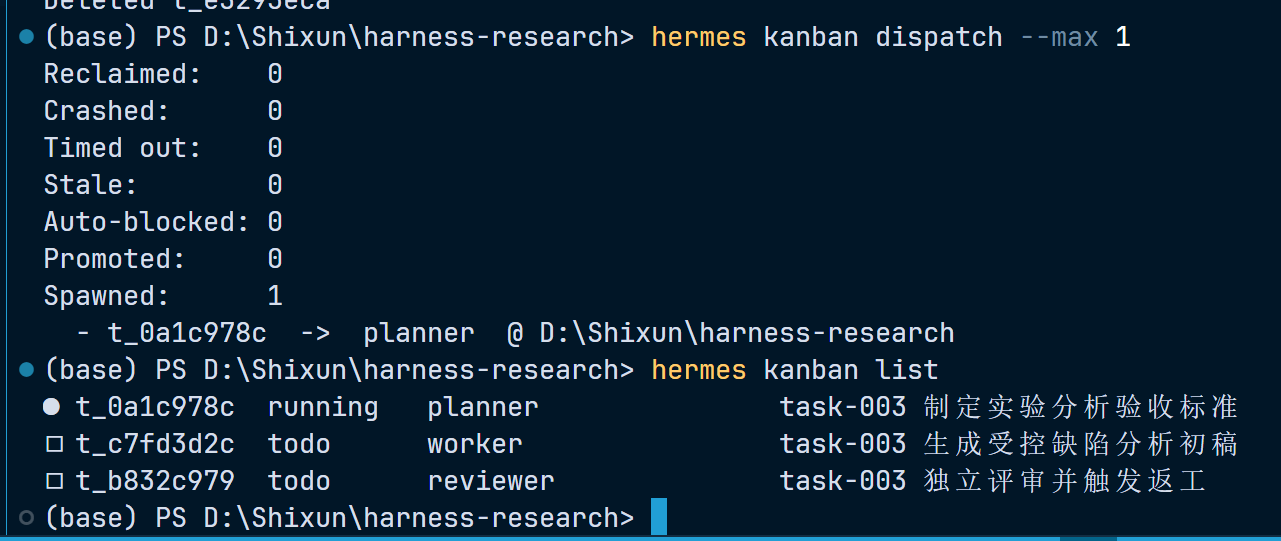
Because I had created two Planner cards the first time, something unexpected happened after the first Planner finished: the Planner overstepped its authority and created a new Worker card — a real anomaly case, for free.

After deleting both cards and rerunning, the Planner and Worker both finished — time to inspect the content.
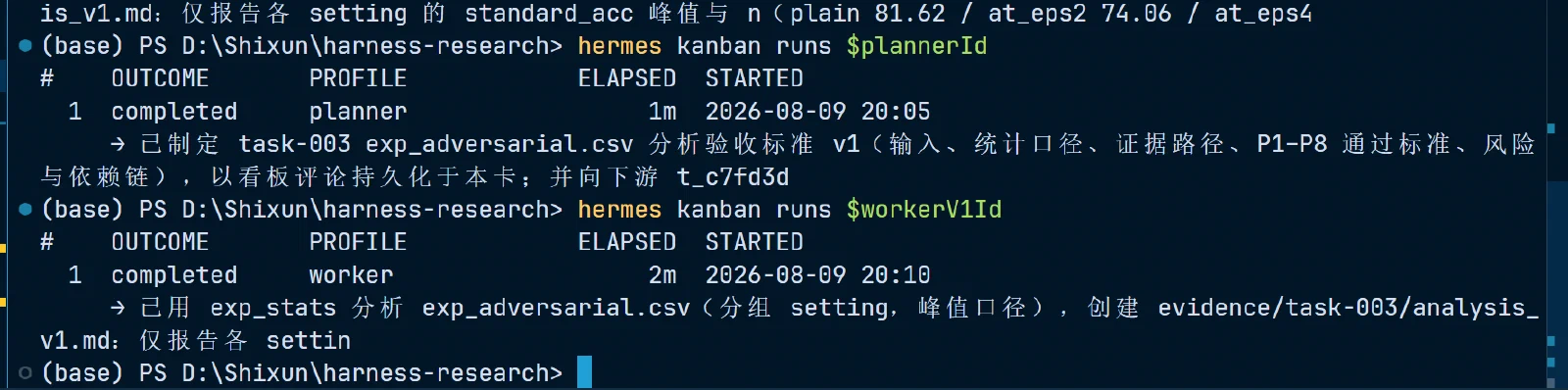
First review
The first review failed — missing data and so on — and the Reviewer went Blocked, as required. The Worker later confirmed it had deliberately left out those values, so the review verdict was correct.

Creating a rework card, dispatching, and the second review
Creating the rework card:
$reworkTask = hermes kanban create 'task-003 根据 review_v1 完成返工' `
    --assignee worker `
    --parent $workerV1Id `
    --workspace 'dir:D:\Shixun\harness-research' `
    --max-runtime 20m `
    --max-retries 2 `
    --body '读取 evidence/task-003/review_v1.md 和原始 CSV。用 exp_stats 补齐各 setting 的 count/mean/std/min/max,明确数据由 gen_mock_data.py 生成,不能作为真实攻击实验;新建 analysis_v2.md,不覆盖 analysis_v1.md。完成后返回证据路径和结构化交接。' `
    --json | ConvertFrom-Json
$reworkId = $reworkTask.id
$reworkId

if ($reviewWasAlreadyDone) {
    $reviewGateTask = hermes kanban create 'task-003 返工后的 Reviewer Gate' `
        --assignee reviewer `
        --parent $reworkId `
        --workspace 'dir:D:\Shixun\harness-research' `
        --initial-status blocked `
        --max-runtime 20m `
        --max-retries 2 `
        --body '等待 analysis_v2.md 完成。解除阻塞后,直接复核原始 CSV、analysis_v2.md、review_v1.md 和审计;使用 review_export 新建 review_v2.md,通过后 complete。' `
        --json | ConvertFrom-Json
    $reviewId = $reviewGateTask.id
    Write-Host "已创建恢复用 Reviewer Gate:$reviewId"
} else {
    hermes kanban link $reworkId $reviewId
}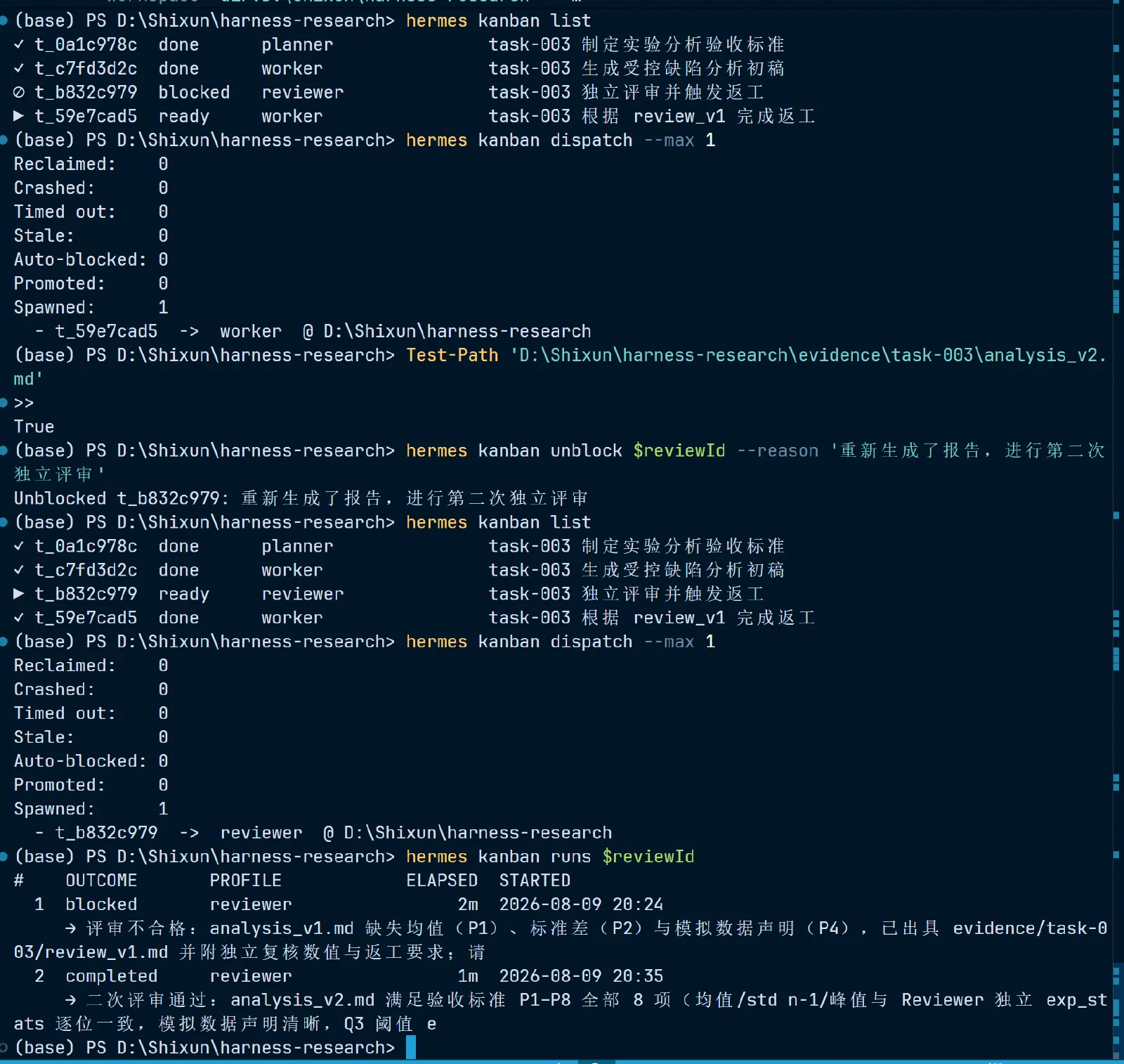
The final result passed review, and workflow 3 completed, producing:
- review_v2.md exists;
- the Reviewer task is done;
- on the normal branch, runs for $reviewId have at least two run records;
- on the recovery branch, the original $reviewV1Id has a first rejection run, and the new $reviewId Gate has a blocked → unblock → final pass record;
- v1, review_v1, v2, and review_v2 are all preserved.
Automated Testing
Creating the test files
Test architecture
The test files:
D:\Shixun\harness-research\tests\
├─ test_research_tools.py
├─ test_permissions.md
├─ test_workflows.md
Unit tests
At minimum, cover:
lit_read: legitimate literature, missing files, non-Markdown, oversizedmax_chars;exp_stats: global stats, grouped stats, selected columns, empty CSV, invalid columns;exp_head: returns the raw rows of a CSV;evidence_read: legitimate evidence and out-of-bounds paths;report_export: successful creation, duplicate-path rejection, invalid task_id, out-of-bounds paths;review_export: only review files and the evidence directory allowed;- Auditing: both success and failure produce a unique JSON with complete fields and no body text or secrets.
Integration tests
- Planner handoffs are usable by the Worker;
- Worker reports are readable by the Reviewer;
- the Reviewer has no
research_write; - the Worker has no
research_review; - both the Worker and the Reviewer can call
exp_head(both inresearch_read), but their write permissions differ — a direct verification of “shared read access, separated write access”; - numbers are traceable: after the Reviewer pulls raw rows via
exp_head, it can locate the line number of every number cited in the Worker’s report; any mismatch means rejection; exp_headandexp_statsare consistent: the raw rows and grouped statistics of the same CSV don’t contradict each other (e.g., the raw-row maximum doesn’t exceed the returnedmax);- Profile USER/MEMORY keep working in new sessions;
- after a Kanban parent task completes, child tasks move from todo to ready;
- the Reviewer’s rework feedback reaches the Worker, and v2 can be reviewed again.
Exception tests
- requesting the nonexistent
paper_999.mdreturns a structured error; - requesting an ordinary test path outside the allowed root returns path denied;
- writing the same report path twice returns already_exists on the second attempt;
- when a CSV is malformed the tool returns error, and the Agent doesn’t fabricate results;
- a Kanban Worker that fails up to
--max-retriesenters blocked; - after restarting Hermes, Kanban, evidence, and Profile memories are all recoverable.
Scenario tests
Walk each of the three workflows and check the full evidence chain:
输入 → 任务/委派 → 工具调用 → 审计 → 产物 → Reviewer 检查 → 状态变化 → 最终结论Aggregate all results into:
D:\Shixun\harness-research\evidence\tests\Harness_test_matrix.mdEach entry records: test ID, type, input, expectation, actual result, evidence path, pass/fail, issues and fixes.
Running the tests
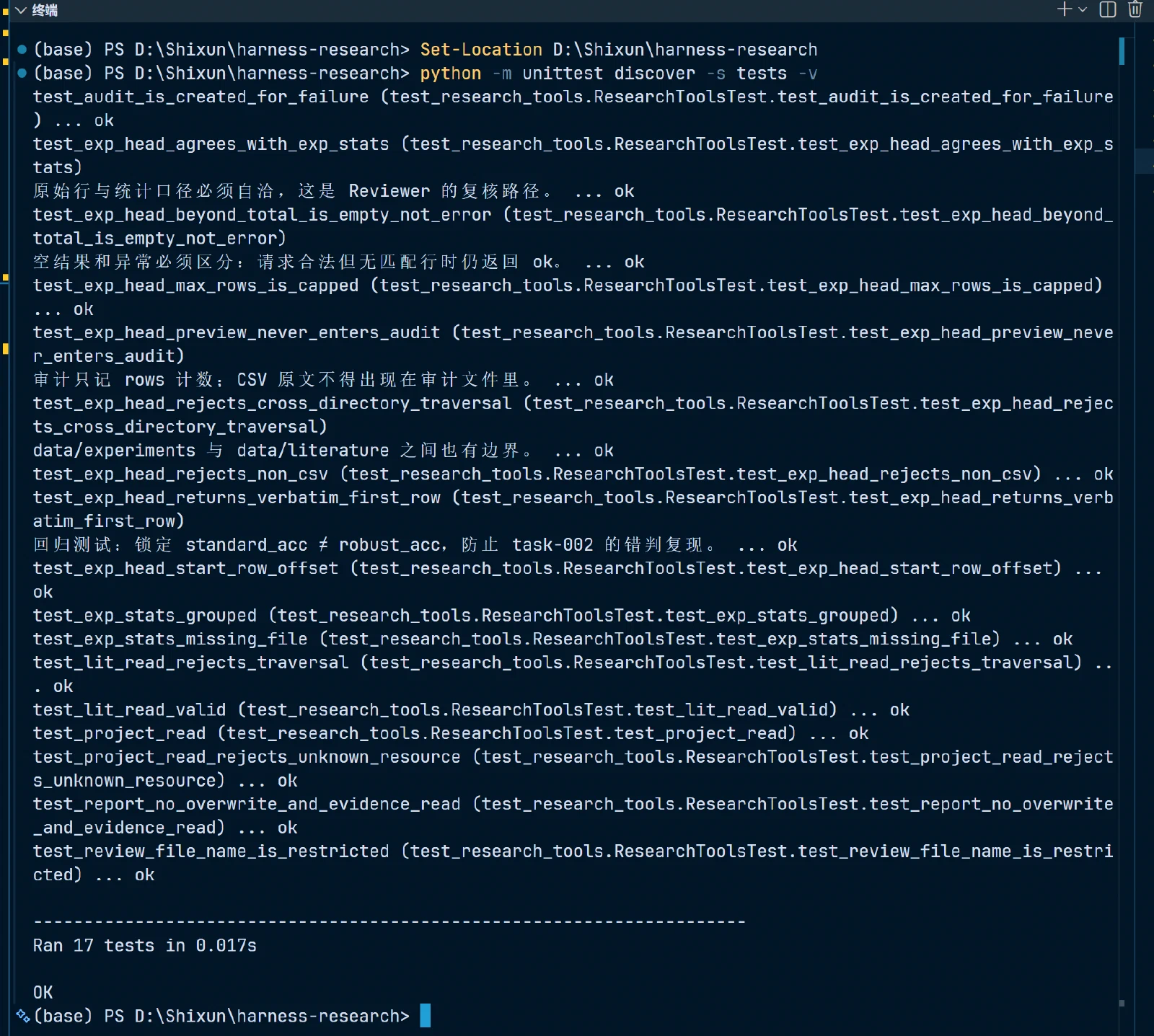
python -m unittest discover -s tests -v shows all unit tests passing.
Comments